SoundCloud Downloader: Free MP3 Converter
Fast and secure SoundCloud Downloader for high-quality MP3
Unlock Pro Features & Unlimited Downloads
This page is built for users who want a practical way to save audio for offline listening without installing extra software. Whether you listen to music, podcasts, mixes, or spoken-word content, the process stays quick, clean, and easy to follow.
Why offline listening still matters
Streaming is convenient, but constant internet access is not always available when you actually want to listen. You may be commuting through areas with weak signal, boarding a flight, working in a low-coverage zone, or simply trying to avoid unnecessary mobile data usage. In those moments, having your audio saved locally is more practical than depending on a stable connection every time.
That is where a SoundCloud Downloader becomes useful. Instead of leaving your favorite tracks tied to an online session, you can convert eligible public audio into MP3 files and keep them ready for offline playback. The result is a smoother listening experience for travel, study sessions, workouts, and day-to-day use across different devices.
If your main goal is direct link conversion, you can also visit our dedicated SoundCloud to MP3 page for a focused download flow with the same simple approach.
Key benefits of this converter
Fast processing
A good tool should not slow users down with unnecessary steps. This workflow is designed to move from pasted link to downloadable result quickly, which makes it easier to save a track when you only have a moment to spare.
No software installation
Because the tool is browser-based, you do not need to install extra applications, extensions, or desktop utilities. That keeps the experience lightweight and makes it easier to use on shared devices, work computers, or phones with limited storage.
No account required
Some users want to save a track without creating a profile first. A no-signup flow removes friction, shortens the path to download, and makes the page more useful for people who value speed and simplicity over account-based features.
High quality MP3 output
Audio quality depends on the original source, but the goal is always to preserve the best available listening experience. For supported uploads, output can range from standard quality up to 320kbps, which is especially useful for users who care about cleaner, fuller sound.
How to download in 3 steps
Copy the public SoundCloud track URL
Open the track you want to save and copy its link from the browser address bar or share option. Make sure the audio is publicly accessible, because private or restricted content cannot be processed through this kind of download workflow.

Paste the link into the converter
Return to the tool page and paste the copied URL into the main input box. It is worth checking the full link before continuing, since incomplete or incorrect URLs are one of the most common reasons a conversion request fails.

Start the conversion and save the MP3
Click the download button to begin processing. Once the link is converted, save the MP3 file to your phone, tablet, or computer so you can listen offline whenever you want without depending on a live internet connection.
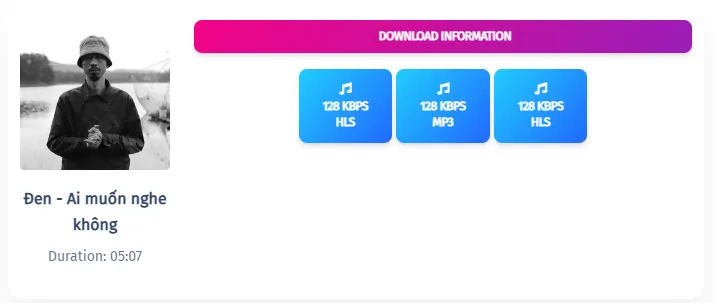
MP3 quality and what to expect
People searching for SoundCloud to MP3 or SoundCloud MP3 Downloader usually want a format that works everywhere. MP3 remains popular because it is widely supported across music apps, phones, laptops, tablets, and other playback devices without requiring extra setup.
For everyday listening, standard MP3 quality is often enough and helps keep file sizes manageable. If the original upload supports higher fidelity, the tool may provide output up to 320kbps, giving listeners more depth and clarity, especially when using better headphones or speakers.
It is also important to set expectations correctly. This workflow is optimized for individual public tracks rather than full playlist processing, which helps keep the experience more stable and straightforward for regular users.
Device compatibility
Since this is an online tool, it can be used across Windows PCs, Macs, Android phones, iPhones, and tablets through modern browsers. That flexibility is useful for people who switch between devices during the day and want a consistent process no matter where they start.
The experience stays simple across platforms: copy the link, paste it into the converter, then save the file. You do not need a separate app for each operating system, which makes the tool easier to access and easier to reuse whenever you need offline audio.
Save your favorite audio for offline listening
If you want a simple way to convert public audio links into MP3 files without installing software or creating an account, this tool gives you a clean, fast path from link to download.
Start using SoundCloud Downloader nowFrequently Asked Questions
A SoundCloud Downloader is an online tool that helps users convert eligible public audio links into MP3 files for offline listening. It is useful for saving music, podcasts, mixes, or other audio content so you can access it later without relying on a constant internet connection.
No. The tool is designed to run directly in a web browser, so there is no need to install desktop software, browser extensions, or mobile apps. This makes the process easier for users who want a quick and lightweight way to save audio files.
Yes. The source brief describes the tool as free to use, with no required subscription and no mandatory account registration. That makes it a practical option for users who want to convert public tracks into MP3 files without adding extra cost or signup steps.
The final quality depends on the original upload. In general, the tool aims to provide the best available result from the source, which may range from standard MP3 quality up to 320kbps when the original track supports that level of audio fidelity.
Yes. Because the workflow is browser-based, it can be used on modern mobile devices, including iPhones, Android phones, and tablets. Users can open the page, paste a track URL, and continue the download process without needing a dedicated mobile application.
The most common reasons are an incorrect URL, an incomplete link, or a track that is not publicly accessible. If the source content is private or restricted, the tool may not be able to process it, so checking the link and visibility status is an important first step.
No. One of the main convenience features in the source brief is that the tool does not require account creation before use. This shortens the path from finding a track to downloading it and makes the page more convenient for quick one-time or occasional use.
In typical use, the conversion process only takes a short amount of time. The exact speed may vary depending on the audio length, link validity, and your internet connection, but the overall flow is intended to be fast enough for everyday downloading needs.
Yes. The tool is compatible with desktop and laptop browsers on both Windows PCs and Apple Macs. Since it works online, users do not need separate installers for each operating system, which helps keep the experience more consistent across devices.
Based on the provided brief, the workflow is currently optimized for single-track downloads rather than full playlist processing. If you want to save multiple tracks, you would usually need to paste each public track link individually to keep the process stable and reliable.
Popular Tools


