Bilibili Video Download – Free MP4 & 1080p Quality Options
Save Bilibili videos as MP4 or choose MP3 audio, with quality options based on your link
Unlock Pro Features & Unlimited Downloads
Bilibili Video Download for Offline Watching
Keep a useful tutorial within reach or save your own clip for later. BraveDown provides a free, browser-based way to request a bilibili video download, with MP4 video and MP3 audio options where available for the submitted link.
Looking for a bilibili.tv video download? Start with the individual video’s URL and check the results before choosing a file. Available formats and resolutions can vary between videos, so use the options returned for your link as your guide.
Open the Bilibili downloader when you have a link ready, then follow the steps below to choose the right format.
A useful first check: confirm that the original video opens and that you have permission to download it. Public visibility alone does not grant permission to reuse or redistribute a creator’s work.
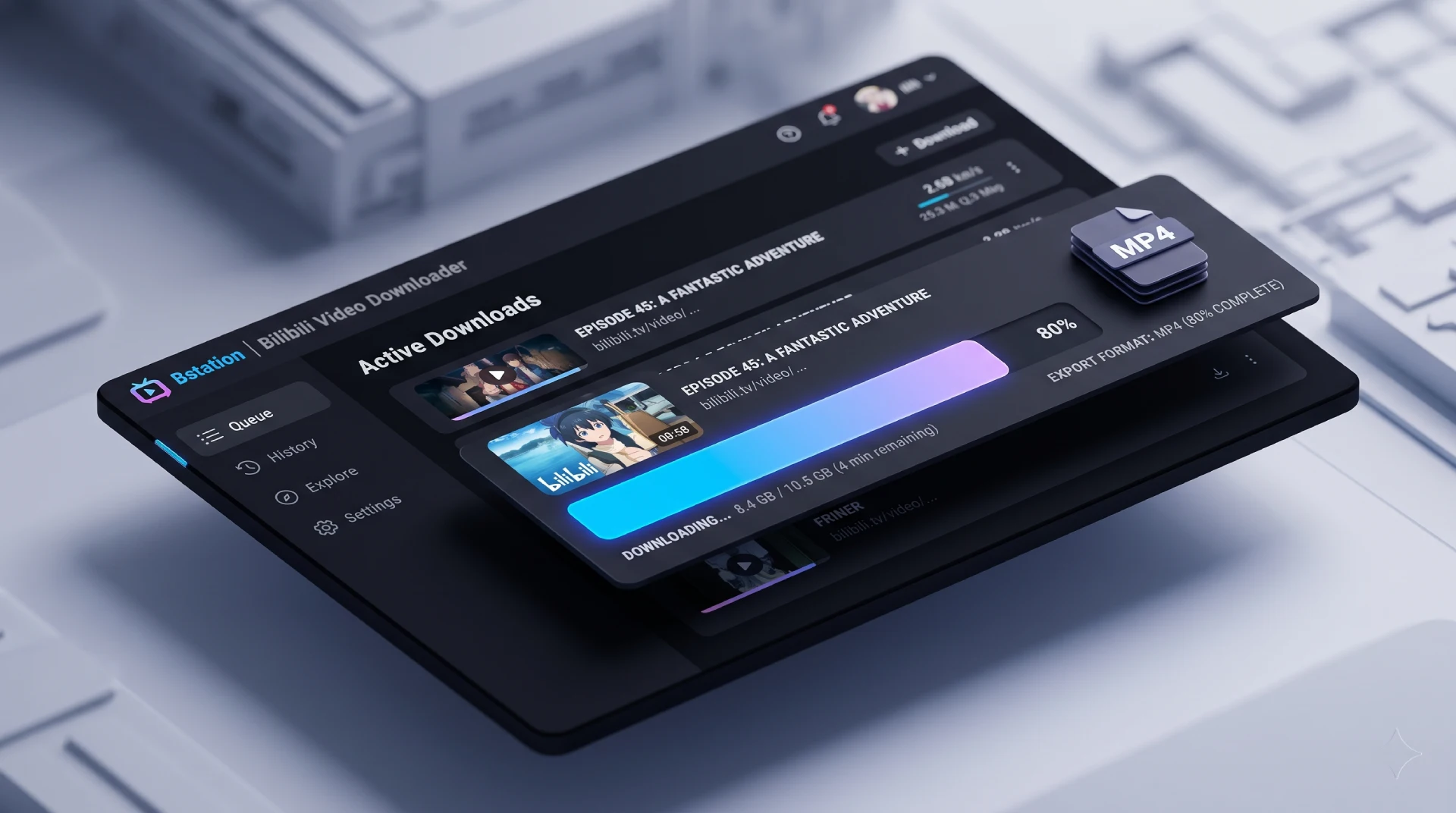
Choose your format
Save the Format That Fits Your Plans
The best download is the one that suits how you will use it. Keep the picture when visual details matter, or choose an audio option when listening is enough.
MP4 for visual learning and offline viewing
Choose video for demonstrations, animation, or lessons with on-screen instructions. Saving Bilibili to MP4 lets you keep the visual context that an audio-only file would leave out.
- Revisit a tutorial while working through its steps.
- Keep an authorized copy available during travel.
- Check text and diagrams before choosing a lower resolution.
MP3 for listening
For a spoken lesson or your own recorded commentary, an MP3 option can be more convenient than keeping the full video. Select it if it appears in the results. File size and sound quality depend on the clip and the available conversion settings.
A browser-based workflow
Copy a link, review the returned options, and save your file through your browser. There is no separate downloader application to install. On a phone or tablet, the final save location depends on your browser and device settings.
Your download workflow
How to Download Bilibili Videos Online
Begin with one video link. Check the format and quality labels at each stage instead of assuming every video offers the same download options.
- Step 1
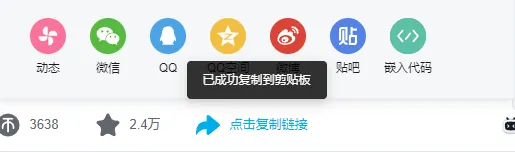
Copy the individual video link
Open the video you want to save. Copy its page address from your browser, or use the app’s sharing option to copy the link. Choose the video itself rather than a creator profile, search results page, or collection page.

- Step 2
Paste the URL into BraveDown
Place the copied URL into the downloader’s input field and select Download. If the shared text includes a title or extra commentary, keep only the video URL. Wait for the available file options to appear before starting another request.

- Step 3
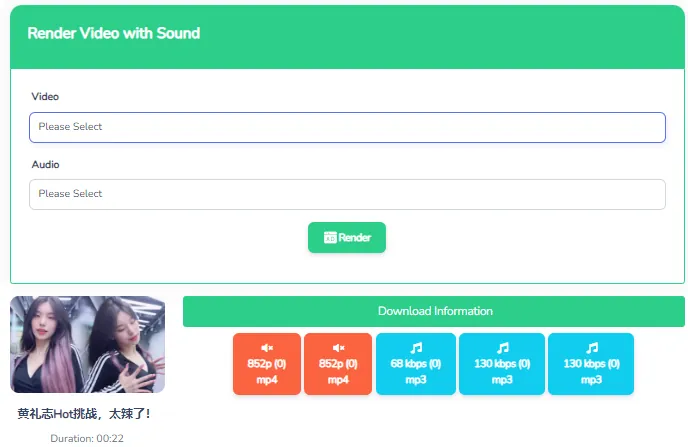
Choose a file and check playback
Select an MP4 option for video or an MP3 option for audio if offered. For a 1080p download, choose an option explicitly labeled 1080p. Once saving finishes, open the file and check the picture, sound, and duration before relying on it for offline use.
Bilibili to MP4: 1080p and Watermark Expectations
A file format, a resolution label, and a watermark describe different aspects of a download. Understanding the difference helps you choose an output that matches your expectations.
MP4 describes the file format
Choosing MP4 does not automatically mean full HD. Review the resolution alongside the format name. If you need a video with sound, check for any audio labels in the results and test the saved file; an audio-only or video-only option will not provide both.
1080p depends on the available source
A 1080p option must be available for your link before you can select it. A high-resolution original does not guarantee that every quality level will be accessible through the downloader. Saving a lower-resolution file as MP4 does not restore missing detail.
Choose for your use: prioritize readable text for tutorials and inspect the listed file size, when provided, if storage or mobile data is limited.
“Without watermark” depends on the original
Looking for a bilibili video downloader without watermark? BraveDown is described as saving files without adding its own watermark. A logo, username, or other mark already embedded in the original video may still appear in the downloaded file.
To download a Bilibili video in 1080p MP4 without a watermark, both conditions matter: an available 1080p MP4 option and source footage without an embedded mark. Downloading is not a watermark-removal process.
When a Download Does Not Work
A failed request does not identify the cause by itself. Start with these checks to separate a link problem from an unavailable format or an incomplete file.
No download options appear
Reopen the original video and copy its full page URL again. Check for missing characters or extra text in the input. Private, removed, paid, or region-restricted content may be unavailable to the downloader even if you can access it yourself.
The quality you want is missing
Use the resolutions actually listed in the results. If 1080p is absent, do not assume a different MP4 option will have the same detail. You can retry the link later, but a retry does not guarantee additional formats.
The file is incomplete or has no sound
Confirm that the download finished and your device has enough storage. Check the player’s volume and the selected format. If necessary, refresh the results and try another suitable option. Keep the original link until playback is confirmed.
Have a Video in Mind?
Start with a video you have permission to save, copy its link, and check the available formats. Choose MP4 when the visuals matter or MP3 when an audio option suits your plans. A quick playback check helps make sure your file is ready when you need it.
Start your bilibili video downloadFrequently Asked Questions
Copy the individual video URL, paste it into BraveDown, and select Download. Review the returned options, choose a suitable MP4 file, and save it through your browser. After the download finishes, check playback and sound. Only download content you own or have permission to save.
BraveDown is described as supporting Bilibili and Bstation links. Paste the individual bilibili.tv video URL and check whether download options appear. Availability can differ by video and access restrictions, so support for a platform does not guarantee that every link or resolution will work.
BraveDown is presented as a free, browser-based Bilibili downloader. You can begin by pasting a video URL and reviewing the available files. Free access does not guarantee that every video can be processed or that every format is available. Your normal internet or mobile data charges may still apply.
You can choose 1080p MP4 when that option appears in the download results for your video. Availability depends on the source and the streams the service can access. A lower-resolution file does not gain additional visual detail simply because it is saved in the MP4 format.
BraveDown is described as downloading without adding its own watermark. However, a logo, username, or other mark embedded in the original footage can remain visible. A watermark-free result therefore depends on the source video; downloading a file does not automatically remove marks already included in its frames.
Choose an MP4 option intended to include video and audio, checking any format labels shown in the results. Avoid audio-only or video-only entries if you need both. Once the file finishes downloading, play it to confirm sound. If audio is missing, check your player volume and try another suitable option.
If an MP3 or audio option appears after processing your link, select it to save audio instead of the full video. This can suit spoken lessons or recordings you have permission to download. Audio quality and file size depend on the source, duration, and available conversion settings.
BraveDown is described as a browser-based service, so its download workflow does not require a separate downloader app or extension. Open the page in your browser, paste the video link, and review the results. Saving and opening the completed file may look different across devices and browsers.
Possible causes include an incomplete URL, unavailable content, access restrictions, or a temporary processing problem. Confirm that the original video opens, copy its full link again, and retry. If results appear but the file will not finish saving, check your connection, available storage, and browser download status.
The location depends on your browser and device settings. Start with your browser’s downloads list to find the completed file or its saved location. On a phone or tablet, also check the Files app. If you selected a destination during saving, look in that folder.
Popular Tools


